Find the feeling.
Eight build characters and sixteen factory recipes cover broad lifts, noise washes, rhythmic tension and synth-driven rises. Init gives you useful starting values straight away.
One move. All the tension.
Turn one automation ramp into an evolving build-up. Rising noise, widening space, accelerating chops and optional synth risers — all from the BUILD knob.
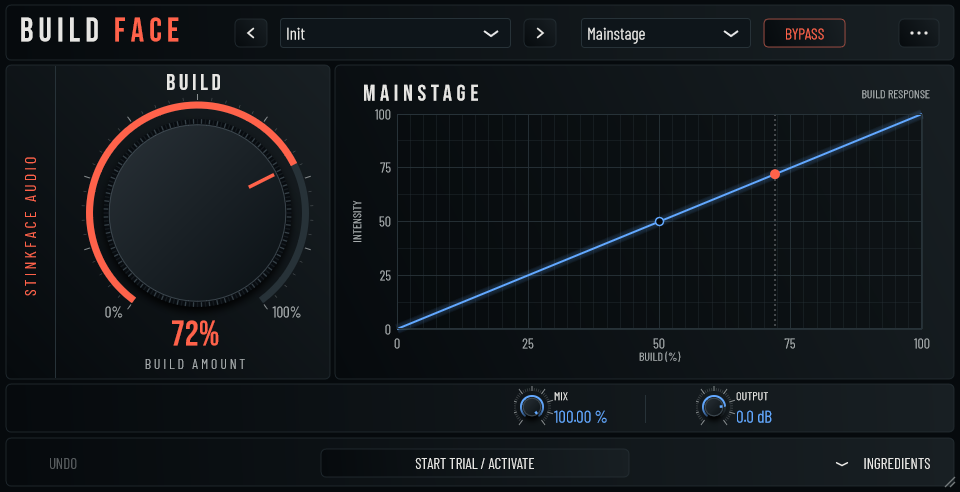
Drop BuildFace onto a track or bus, choose a factory preset, and automate BUILD towards the drop. Start with ready-to-go settings, then open Ingredients when you want to make the build your own.
Eight build characters and sixteen factory recipes cover broad lifts, noise washes, rhythmic tension and synth-driven rises. Init gives you useful starting values straight away.
Automate BUILD from 0 to 100. Shape the intensity curve to bring the energy in early or save the drama for the end.
Bring BUILD back to zero for the drop. Keep the transition tight, or switch on Spill tails to let the space and echoes hang over it.
The Effects, Synth and Global tabs put the details within reach. Use the effect bank on your audio, generate a synth riser, or combine both.
Blend Filter, Space, Echo, Noise, Pitch, Chop, Drive and Width. Each build character combines them differently, with individual amounts ready to dial in.
Saw, pulse and sine tones with pitch rise, unison voices and detune. Send the synth direct to the mix or through the effects for more texture.
Make the pitch LFO accelerate with BUILD. Choose tempo-synced movement down to 1/64 or set the cycle in milliseconds.
Choose white, pink or brown noise to change the weight of the rise. Let noise follow the input, or use it to build energy from silence.
Use your DAW’s external sidechain to duck the synth, then set its release. Mix and Output keep the final balance in your hands.
Save your own presets, undo a change, or switch off the effects bank and create a standalone synth riser. Resize the interface to fit your session.
BuildFace is coming soon. Join the StinkFace launch list below for the release announcement. Downloads, pricing and the purchase link will be added when it is ready.
The first release is being prepared for Windows x64 as a VST3 plugin. A VST3-compatible DAW is required; a standalone application will not be included. A macOS version may follow, but availability and timing are not confirmed.
A seven-day, full-feature trial is planned for launch. Start it online inside BuildFace; it then works offline until its seven days expire. No card is needed. Starting it again does not reset the trial.
The effects can build on your existing audio. For a synth-only riser, choose a synth voice and turn off Synth follows input. You can also disable the effects bank or route the synth through it.
Use your Gumroad purchase email and BuildFace licence key inside the plugin. Paid licences support up to three computers and work offline after activation. You can deactivate a computer from the plugin.
Join the StinkFace Audio launch list for BuildFace release news and occasional future product announcements. No weekly waffle; unsubscribe anytime.